
iPhone video guide · Pro · one free try
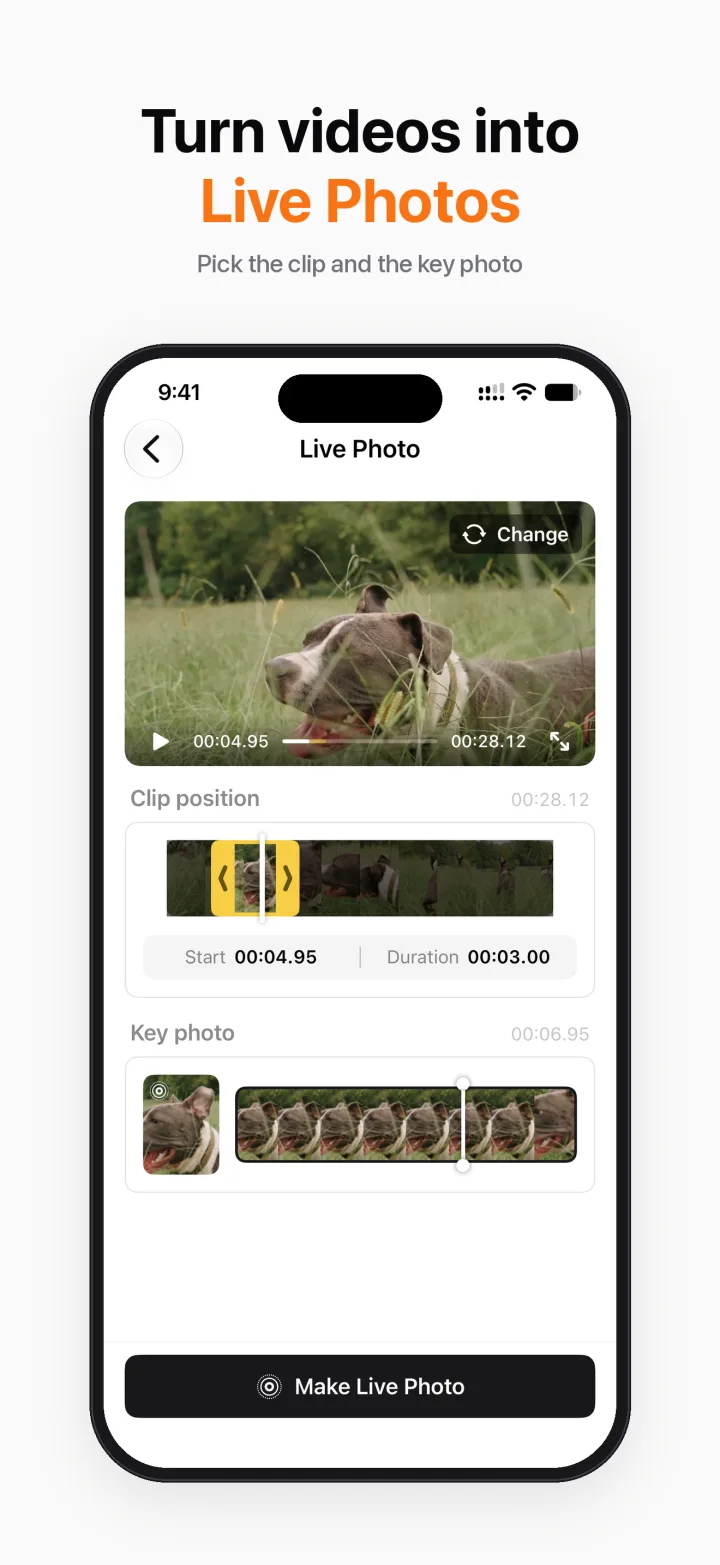
Turn a video into a Live Photo on iPhone
Want a moving lock screen or a Live Photo from a video you filmed? Breezecut turns any clip of up to 3 seconds into a real Live Photo in your photo library.
Steps
- Open Breezecut and tap Live Photo.
- Pick a video and drag to choose the clip (up to 3 seconds).
- Choose the key photo that shows when it isn't playing.
- Tap Make Live Photo; it's saved to Photos, ready to use as wallpaper.
Download on theApp StoreFree to download · No ads · No watermark · No uploads
FAQ
Is it free?
Live Photo is a Pro feature with one free try.
Can I use it as a wallpaper?
Yes. Set it from Photos or Settings → Wallpaper.
Is anything uploaded?
No.
More guides
- How to compress a video on iPhone without uploading it
- Add subtitles to a video on iPhone automatically
- Remove a watermark or logo from a video on iPhone
- Blur faces in a video on iPhone automatically
- Make a blurry video sharper on iPhone
- Speed up or slow down a video on iPhone
- Resize a video to 9:16, 1:1 or 16:9 on iPhone (no black bars)