
iPhone video guide · Free
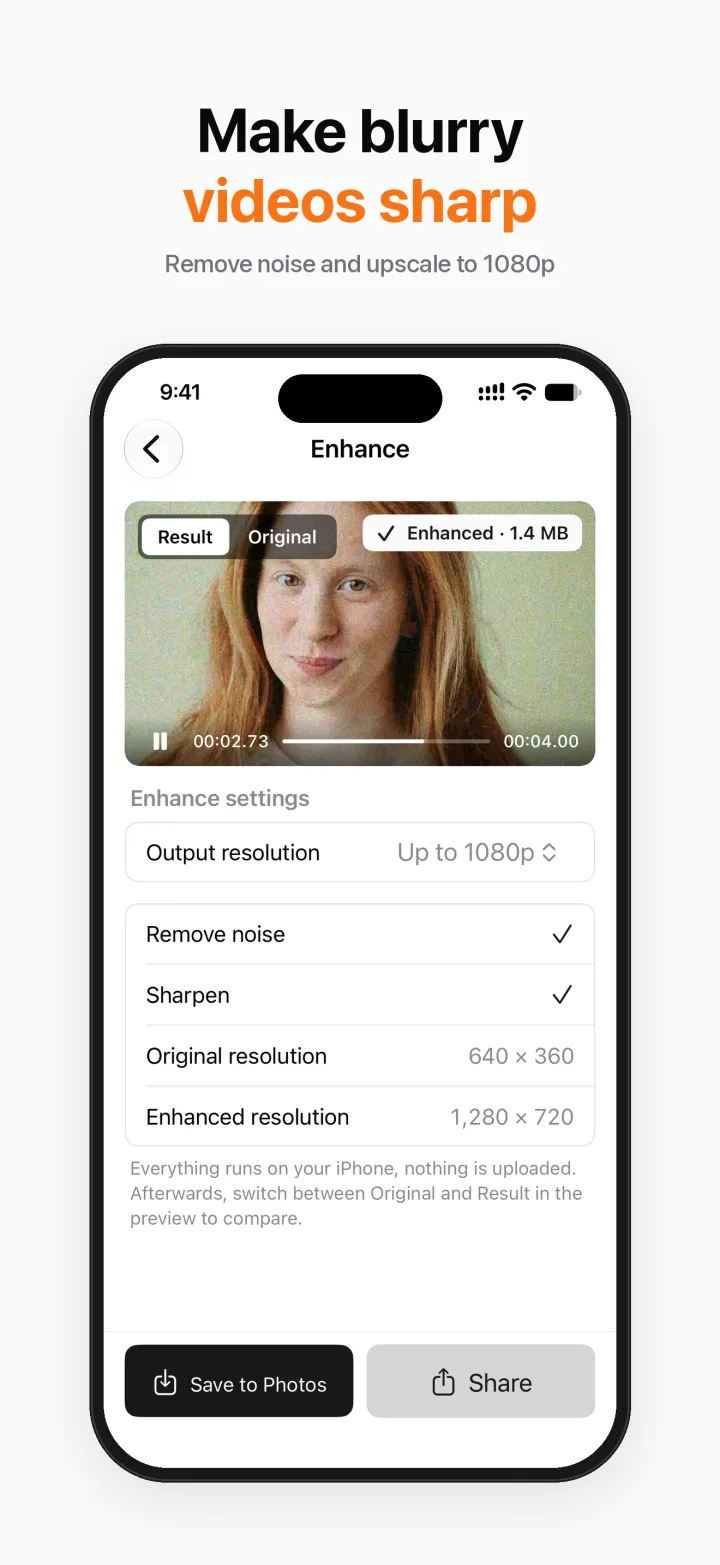
Make a blurry video sharper on iPhone
Old clips, low-light footage or videos that were compressed too many times look noisy and soft. Breezecut's Enhance tool cleans up noise and sharpens detail using the video processing built into iOS 26, on your iPhone.
Steps
- Open Breezecut and tap Enhance.
- Pick a video.
- Turn on Remove noise and/or Sharpen, and choose the output resolution (up to 1080p).
- Export, then switch between Original and Result in the preview to compare.
Download on theApp StoreFree to download · No ads · No watermark · No uploads
FAQ
Is it free?
Yes, Enhance is free.
Which iPhones are supported?
Enhance needs iOS 26. On older versions the tool explains this; every other tool works on iOS 18 and later.
Is my video uploaded?
No, processing happens on device.
More guides
- How to compress a video on iPhone without uploading it
- Add subtitles to a video on iPhone automatically
- Remove a watermark or logo from a video on iPhone
- Blur faces in a video on iPhone automatically
- Turn a video into a Live Photo on iPhone
- Speed up or slow down a video on iPhone
- Resize a video to 9:16, 1:1 or 16:9 on iPhone (no black bars)